
The QuickBooks Bank Rules Alternative for Accounting Firms
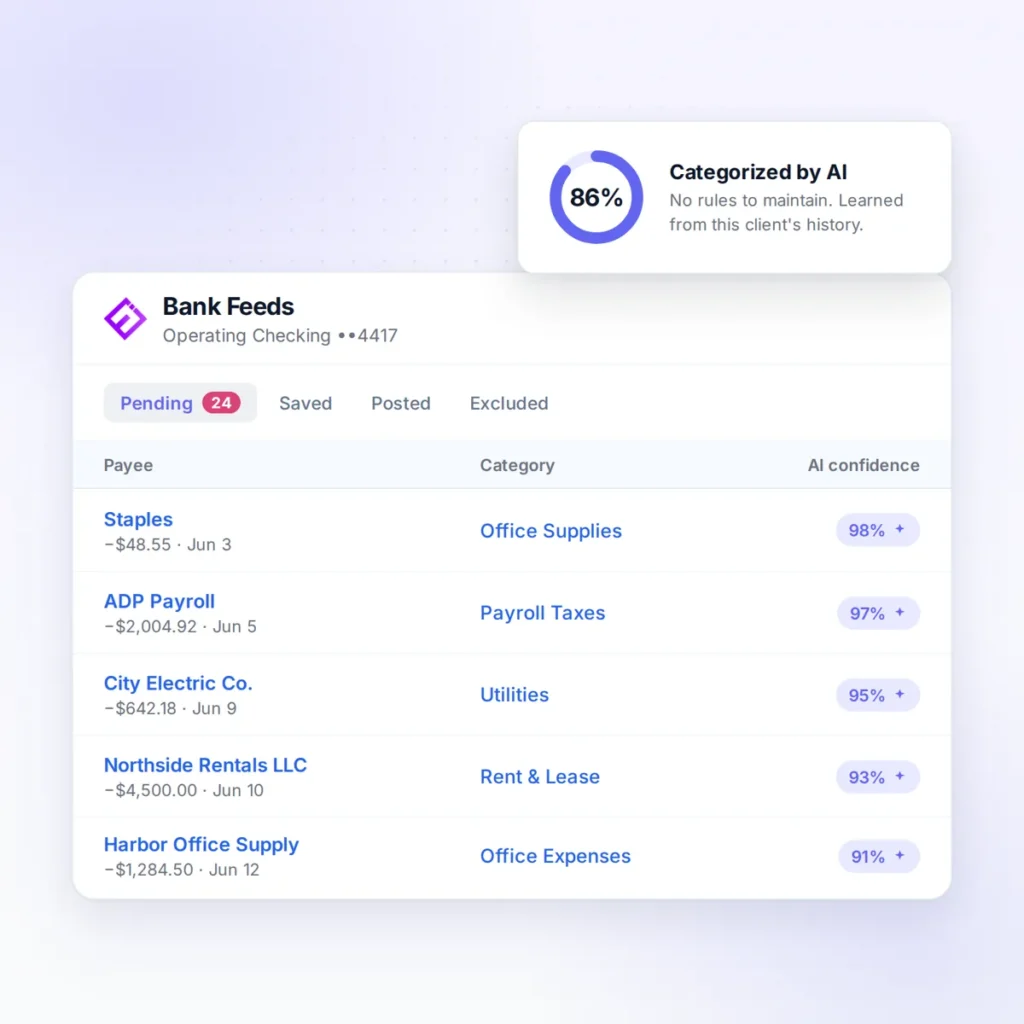
Ensi replaces bank rules with AI that learns from each client’s history. It categorizes 80%+ of bank feed transactions in QuickBooks Online automatically, with no rules to build or maintain, and your team approves before anything posts.

Works with QuickBooks Online
80%+
of bank feed transactions categorized automatically
Under 30 min
to connect QuickBooks Online and go live
40 hours
a month back from data entry
Definition
What Are QuickBooks Bank Rules?
QuickBooks Online bank rules automatically categorize downloaded bank transactions that match conditions you set, such as the description, bank text or amount. Each rule can have one or more conditions, rules run in priority order, and a rule can be set to auto-post matching transactions to the books without review (QuickBooks Help, checked November 2026).
The problem
Where Bank Rules Break Down for Firms
Bank rules seem like the answer to categorization: tell QuickBooks once, and it handles that vendor forever. Then the vendor description changes, a second rule overlaps the first, a new client needs its own set, and someone has to figure out why office supplies landed in cost of goods sold for three months.
Built client by client
Every new client means a new set of rules.
Brittle matching
Truncated names, payment processors and changing references make rules miss.
No context
The same vendor can be office supplies one week and inventory the next; a rule can’t tell.
Rule debt
Overlapping and outdated rules pile up, and priority order gets hard to reason about.
Silent auto-posting
A rule set to auto-post can apply the wrong category every month until someone notices.
How it works
How Does Ensi Replace Bank Rules?
Instead of rules, Ensi learns from each client’s history and proposes categories your team approves.
Learns each client's history
Ensi studies how your firm has categorized that client's transactions before.
Proposes categories
For each new bank feed transaction, it proposes an account based on that history.
Flags what it isn't sure about
Uncertain items come to your team instead of being guessed.
Your team approves
Staff approve, edit or reject proposals; approved entries post to QuickBooks Online.
For the full picture of how AI categorization works and how to measure accuracy, see automated transaction categorization software.
Compare
Bank Rules vs. Ensi
| QuickBooks bank rules | Ensi | |
|---|---|---|
| Setup | Rules written for each client | Connect QBO; learns from existing history |
| Maintenance | Update rules as descriptions and vendors change | No rules to maintain |
| Context | Matches text and amounts only | Based on how your firm categorized that client before |
| Posting | Can auto-post without review | Your team approves every entry |
| Errors | Wrong rules repeat silently | Uncertain items flagged; ledger checks catch anomalies |
| Across clients | Rule count grows with each client | 80%+ categorized automatically across client files |
Your rules
Should You Delete Your Bank Rules?
Not necessarily on day one. A good first step is auditing them: turn off auto-post on rules that apply to ambiguous vendors, remove duplicates, and let Ensi handle categorization for clients as you connect them. Over time, most of the rule maintenance simply stops.
Switching
How to Switch from Bank Rules to Ensi
Four steps, client by client.
Audit auto-post rules
List which rules post without review, client by client.
Connect QuickBooks Online
Most firms are live in under 30 minutes.
Pilot three clients
Compare Ensi’s proposals with a month your team has already closed.
Retire rules as you go
Turn off rules that Ensi now handles, starting with the ones that cause the most corrections.
FAQ
Frequently Asked Questions
What is the alternative to QuickBooks bank rules?
AI categorization that learns from each client’s history. Instead of writing and maintaining rules, the software proposes categories based on how transactions were categorized before, and your team approves them. Ensi does this for firms on QuickBooks Online.
Why do QuickBooks bank rules stop working?
Bank descriptions change, vendors use payment processors, rules overlap, and rules can’t read context. Over time, firms accumulate rule debt that needs regular cleanup.
Can QuickBooks bank rules post automatically?
Yes. A rule can be set to auto-post matching transactions without review. That saves time but means a wrong rule can post the wrong category repeatedly.
Do I need bank rules if I use Ensi?
No. Ensi learns from each client’s existing categorization history in QuickBooks Online, so there are no rules to build.
How much of the bank feed does Ensi clear without rules?
Ensi categorizes 80%+ of bank feed transactions automatically by learning from each client’s history. It flags uncertain items, and your team approves every entry before it posts.
How long does it take to get started?
Most firms are live in under 30 minutes. You connect QuickBooks Online, with no migration or rebuild. Pricing is month to month with no minimums or contracts.
Is client data secure with Ensi?
Ensi’s founders come from data-security backgrounds, and its SOC 2 audit is underway. Client books stay in QuickBooks Online, and you can revoke Ensi’s access to any client with one click.
See it live
Watch Ensi Clear a Bank Feed Without Rules
Bring a client file to a 30-minute demo and we’ll categorize its bank feed live, with no slides.