


Practice management software tracks who’s doing what and what’s due. But a checklist doesn’t reconcile an account or categorize a bank feed. Practice automation is the next step in accounting firm automation: the software does the work, and your team reviews it. Ensi brings this to firms on QuickBooks Online.
What Is Practice Automation?
Practice automation is software that performs an accounting firm’s recurring client work, such as categorizing transactions, reconciling accounts, preparing journal entries, reviewing ledgers and explaining variances, so staff review and approve the output instead of producing it. Practice management software, by contrast, organizes and tracks that work.
Practice Management vs. Practice Automation at a Glance
| Practice Management | Practice automation (Ensi) | |
| Main Job | Organize the firm’s work | Do the firm’s recurring client work |
| Typical Features | Workflows, deadlines, client portal, CRM, billing | Close task management, categorization, reconciliations, ledger checks, flux analysis, month-end packages delivered to client portals |
| Who does the bookkeeping | Varies by tool | AI prepares; staff review and approve |
| Effect on capacity | Varies by tool | 2X–3X throughput from the same team |
| Typical examples | Karbon, Financial Cents, TaxDome | Ensi |
Why Practice Management Alone Hits a Ceiling
Tracking the work makes a firm more organized, but it doesn’t change how many hours each client takes. When every new client still means hours of categorization, reconciliation and review, growth stays tied to headcount, and hiring is hard. In Capterra’s 2026 survey, 73% of organizations said they had struggled to retain accounting staff over the past two years.
A well-run checklist shows you the bottleneck. It doesn’t remove it.
What Practice Automation Changes
When the software does the recurring work, three things change.
From Doing the Work to Reviewing It
Ensi categorizes 80%+ of transactions, runs reconciliations, checks every ledger for anomalies and missing transactions, and explains what changed. Your team moves from data entry to review.
From Spot-Checks to Every Ledger
Automation can check every client file every month, so quality no longer depends on which files a manager had time to review.
From Hours per Client to Throughput per Team
Ensi puts the gain at two to three times the throughput from the same team, and the monthly close at 4 days instead of 12.
Do You Need Both?
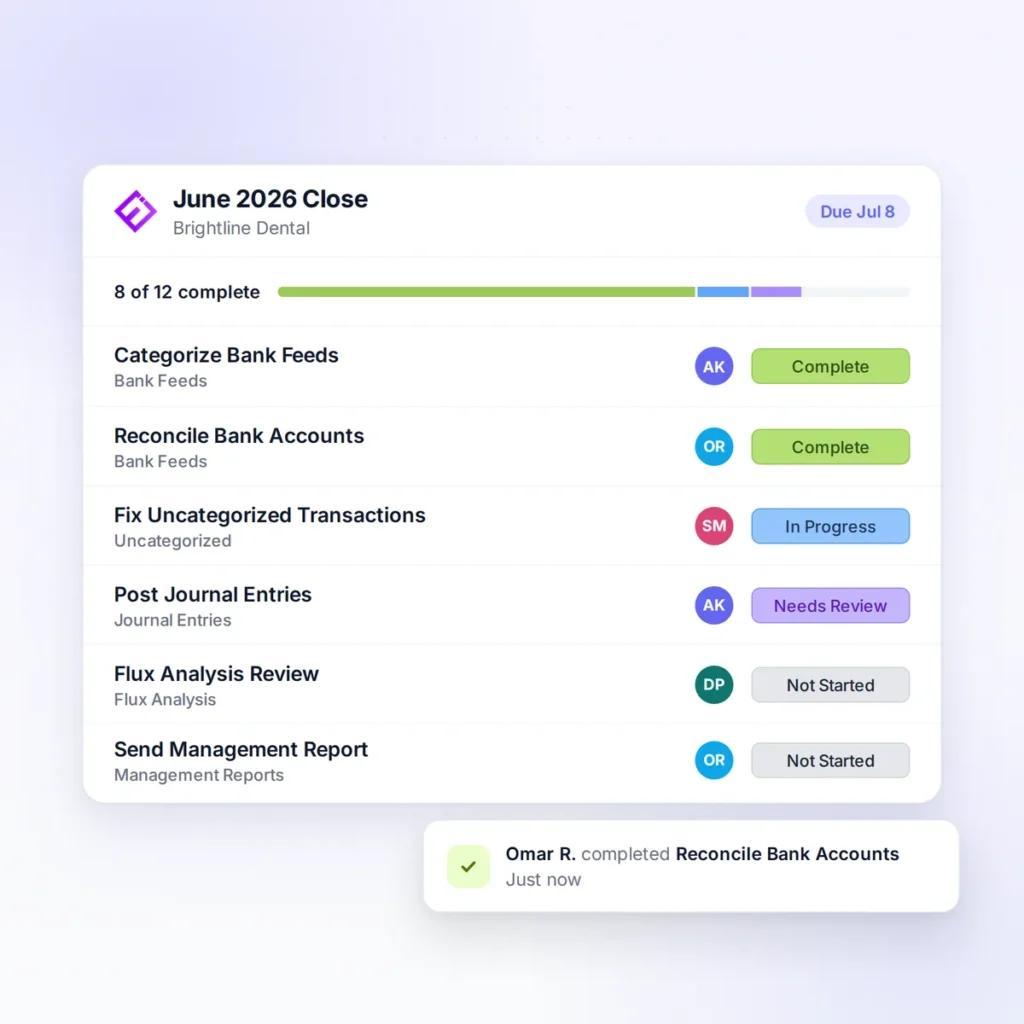
Often, yes. Practice management keeps the firm coordinated: deadlines, client communication, billing. Practice automation does the bookkeeping and close work inside the ledger. Ensi also includes close task management, so smaller firms can run the close from one workspace, while larger firms keep their practice management tool alongside it.
Several practice management vendors are adding AI. Karbon, for example, acquired Aider in 2025 to add automated period close and AI-generated reports. When comparing, ask the same question of every tool: does it track the work, or do it?
See every Ensi use case.
Keeping Control When Software Does the Work
Ensi prepares the work. Your team reviews and approves it.
Uncertain items are flagged, nothing posts without your team’s sign-off, and QuickBooks Online stays the system of record.
How to Tell If Your Firm Is Ready for Practice Automation
- Your clients are on QuickBooks Online
- Your team spends more time preparing books than reviewing them
- You’re turning down clients or delaying closes because of capacity
- Quality depends on spot-checks
- You already have workflows in place and want the work itself to go faster
Frequently Asked Questions
What is the difference between practice management and practice automation?
Practice management software organizes and tracks a firm’s work: tasks, deadlines, clients and billing. Practice automation software performs the recurring work itself, such as categorization, reconciliations and ledger reviews, while staff review and approve the results.
Is Ensi practice management software?
Ensi is practice automation. It includes close task management so teams can assign, track and review each client’s close, but its main job is doing the bookkeeping and close work inside QuickBooks Online.
Can I use Ensi with my practice management software?
Yes. Many firms keep their practice management tool for workflows, client communication and billing, and use Ensi to do the bookkeeping and close work.
Does practice automation replace staff?
No. It changes what staff do. AI handles repetitive prep, and accountants review, make judgment calls and advise clients. The result is more capacity, not fewer people.
What work can practice automation handle?
With Ensi: transaction categorization, bank statement and check parsing, accruals, reconciliations, ledger checks for anomalies and missing transactions, flux analysis and month-end reporting packages.
How long does it take to get started?
Most firms are live in under 30 minutes. You connect QuickBooks Online, with no migration or rebuild. Pricing is month to month with no minimums or contracts.
Is client data secure with Ensi?
Ensi’s founders come from data-security backgrounds, and its SOC 2 audit is underway. Client books stay in QuickBooks Online, and you can revoke Ensi’s access to any client with one click.
See Practice Automation on Your Own Client File
Bring a client file to a 30-minute demo and watch Ensi do the work, not just track it, with no slides.